2025-10-16 16:30 Tags:
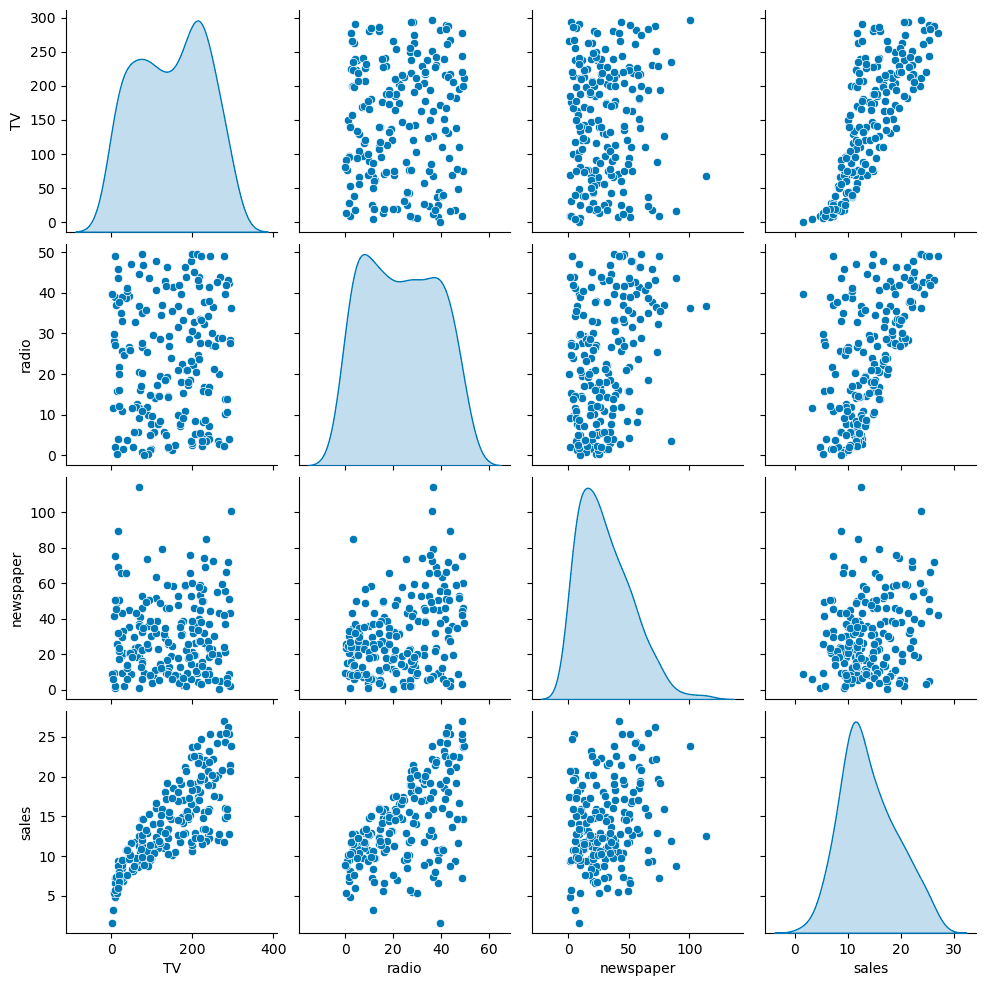
sns.pairplot(df, diag_kind='kde')Helps visualize relationships and possible correlations between features.
Define Features & Target
X = df.drop('sales', axis=1)
# This is smart, just drop sales(y) you get all the features, instead of adding each one
y = df['sales']
Split Train/Test Data
from sklearn.model_selection import train_test_split
X_train, X_test, y_train, y_test = train_test_split(
    X, y, test_size=0.3, random_state=101)
Train the Model
from sklearn.linear_model import LinearRegression
model = LinearRegression()
model.fit(X_train, y_train)-
The model “learns” coefficients ( \beta_0, \beta_1, \beta_2, \beta_3 )
-
Fit is based only on training data!
Evaluation on Test Set
Make Predictions
test_predictions = model.predict(X_test)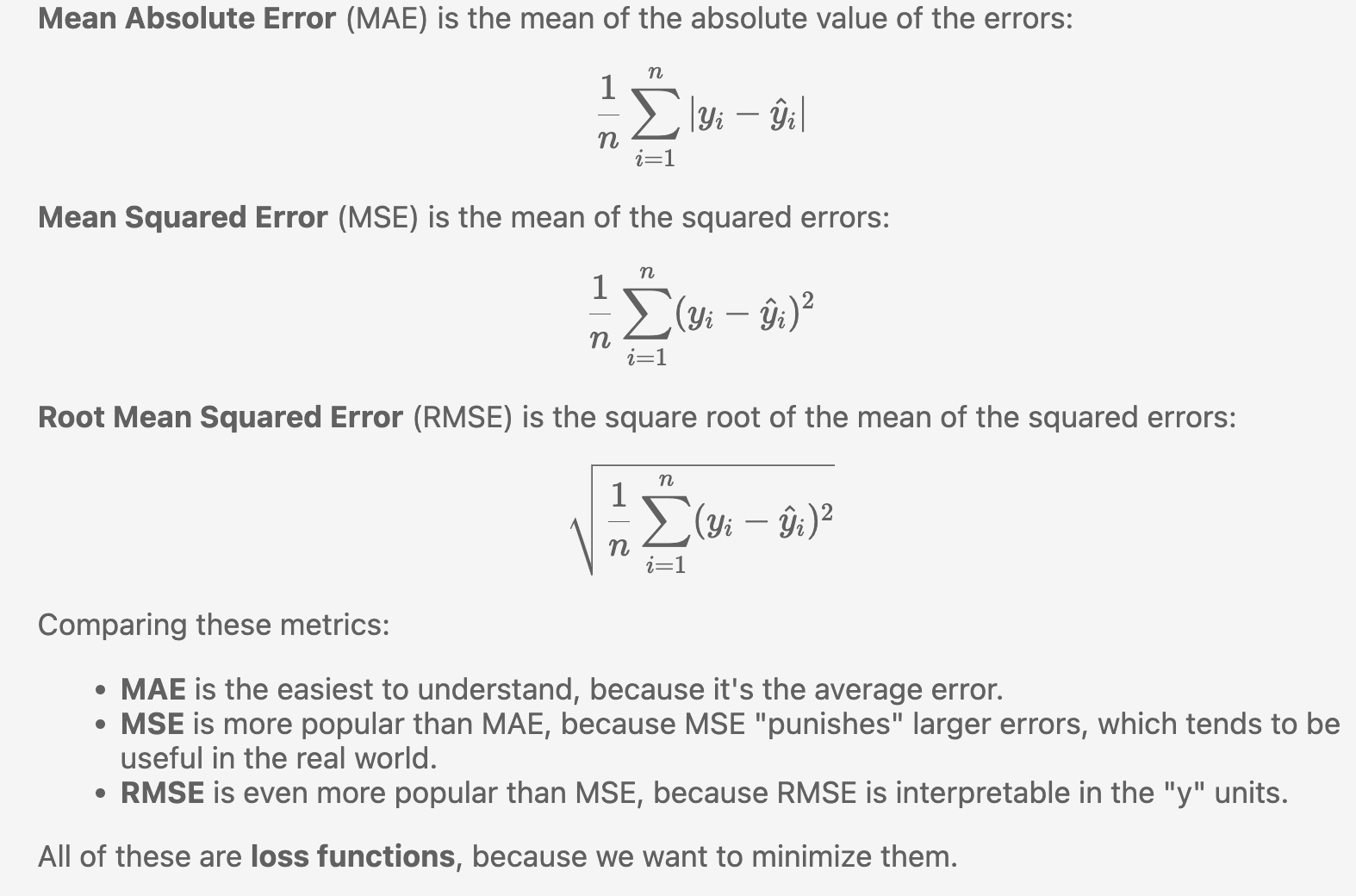
from sklearn.metrics import mean_absolute_error, mean_squared_error
MAE = mean_absolute_error(y_test, test_predictions)
MSE = mean_squared_error(y_test, test_predictions)
RMSE = np.sqrt(MSE)
✅ Lower MAE/MSE/RMSE → better fit
⚠️ Compare todf['sales'].mean()for perspective. MAE compare to mean(sales) MSE RMSE is too large, meaning the data may have outliers
Residual Analysis
Residual = Actual – Predicted
You need to use residual plot to test whether it meets the linear relationship.
It is the same as I was been taught in stats class! 4 assumptions of linearity
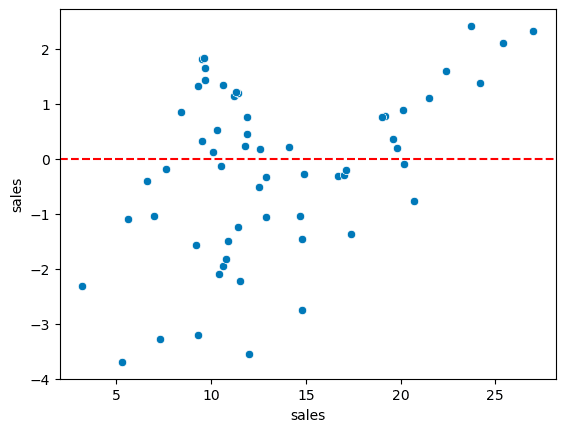
test_residual = y_test - test_predictions

sns.scatterplot(x=y_test,y=test_residual)

plt.axhline(y=0,color='r',ls='--')
Residuals should:
Center around zero
Have no clear pattern (homoscedasticity)
Be approximately normal
sns.displot(test_residual,bins=25,kde=True)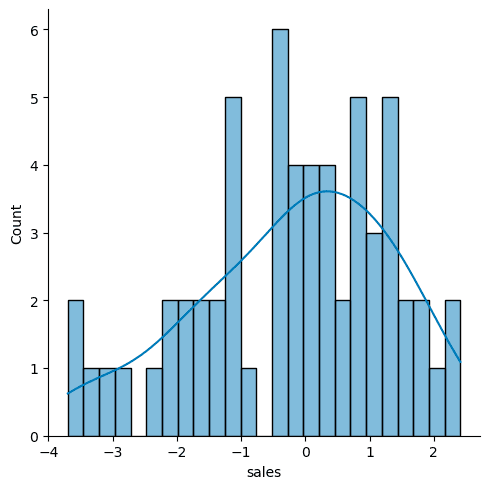
You can check with a Q-Q plot:
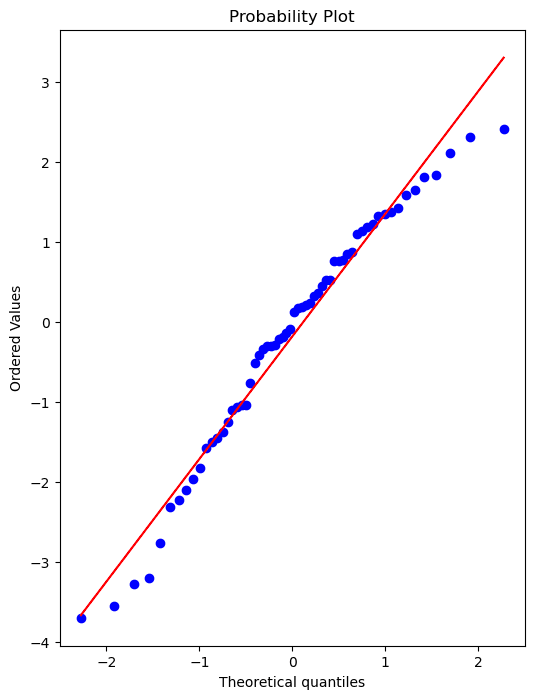
import scipy as sp
# Create a figure and axis to plot on

fig, ax = plt.subplots(figsize=(6,8),dpi=100)

# probplot returns the raw values if needed

# we just want to see the plot, so we assign these values to _

_ = sp.stats.probplot(test_residual,plot=ax)
Retrain on Full Data
After confirming model performance:
final_model = LinearRegression()
final_model.fit(X, y)
This uses all data for the final version of the model before deployment.
Coefficients
final_model.coef_array([ 0.04576465, 0.18853002, -0.00103749])
- Holding all other features fixed, a 1 unit (A thousand dollars) increase in TV Spend is associated with an increase in sales of 0.045 “sales units”, in this case 1000s of units .
Making Predictions
campaign = [[149, 22, 12]]
final_model.predict(campaign)
dataset from outside to make new predictions
Saving & Loading Models
from joblib import dump, load
dump(final_model, 'sales_model.joblib')
loaded_model = load('sales_model.joblib')
loaded_model.predict(campaign)
Useful for deployment or reusing trained models later.
Summary Table
| Step | Purpose | Key Function |
|---|---|---|
| Split data | Prevent overfitting | train_test_split |
| Train model | Learn parameters | LinearRegression().fit() |
| Predict | Generate output | .predict() |
| Evaluate | Measure accuracy | mean_absolute_error, mean_squared_error |
| Analyze residuals | Check assumptions | sns.displot, sp.stats.probplot |
| Save model | Reuse/deploy | joblib.dump() |