2026-04-13 21:39 Tags:Technical Literacy
The Claude Code SDK lets you run Claude Code programmatically from within your own applications and scripts. It’s available for TypeScript, Python, and via the CLI, giving you the same Claude Code functionality you use at the terminal but integrated into larger workflows.
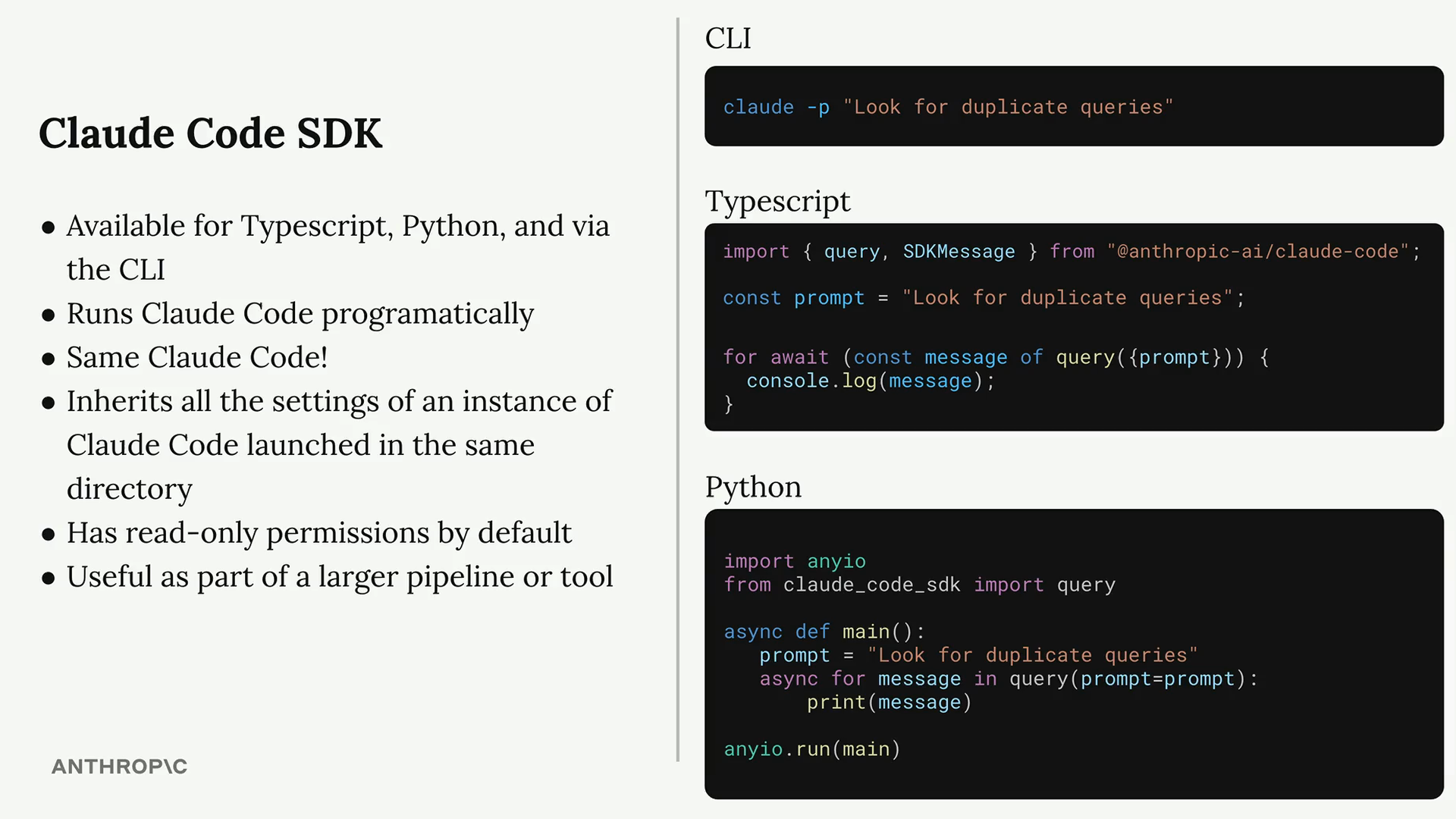
The SDK runs the exact same Claude Code you’re already familiar with. It has access to all the same tools and will use them to complete whatever task you give it. This makes it particularly powerful for automation and integration scenarios.
Key Features
- Runs Claude Code programmatically
- Same Claude Code functionality as the terminal version
- Inherits all settings from Claude Code instances in the same directory
- Read-only permissions by default
- Most useful as part of larger pipelines or tools
Basic Usage
Here’s a simple TypeScript example that asks Claude to analyze code for duplicate queries:
import { query } from "@anthropic-ai/claude-code";

const prompt = "Look for duplicate queries in the ./src/queries dir";

for await (const message of query({
  prompt,
})) {
  console.log(JSON.stringify(message, null, 2));
}
When you run this code, you’ll see the raw conversation between your local Claude Code and the Claude language model, message by message. The final message contains Claude’s complete response.
Permissions and Tools
By default, the SDK only has read-only permissions. It can read files, search directories, and perform grep operations, but it cannot write, edit, or create files.
To enable write permissions, you can add the allowedTools option to your query:
for await (const message of query({
  prompt,
  options: {
    allowedTools: ["Edit"]
  }
})) {
  console.log(JSON.stringify(message, null, 2));
}
Alternatively, you can configure permissions in your settings file within the .claude directory for project-wide access.
Practical Applications
The Claude Code SDK shines when integrated into larger development workflows. Consider using it for:
- Git hooks that automatically review code changes
- Build scripts that analyze and optimize code
- Helper commands for code maintenance tasks
- Automated documentation generation
- Code quality checks in CI/CD pipelines
The SDK essentially lets you add AI-powered intelligence to any part of your development process where programmatic access would be valuable.